
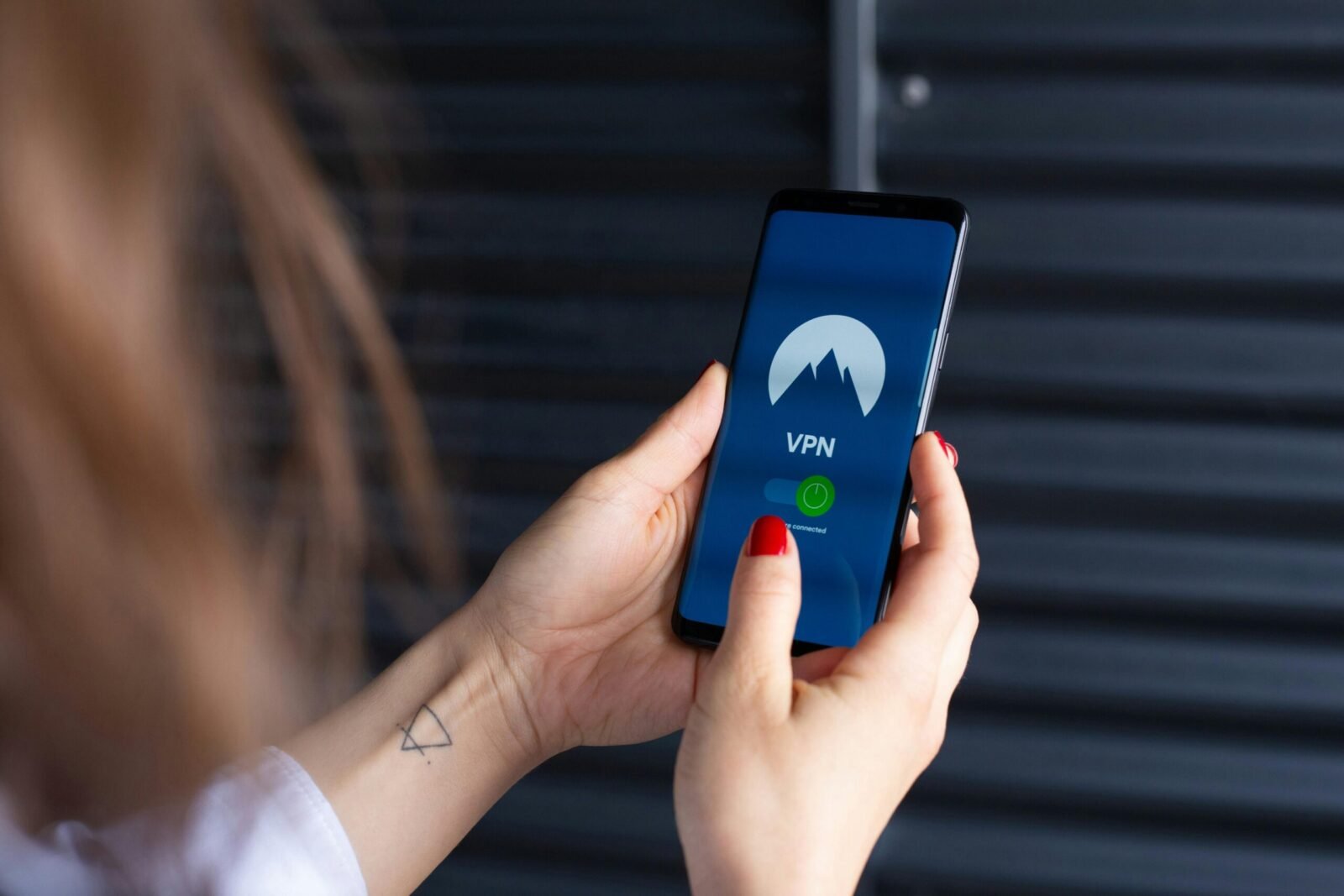
Privacy and security have become paramount concerns for internet users across America. Whether you’re protecting sensitive business data, accessing content while traveling, or simply maintaining your digital privacy, a Virtual Private Network (VPN) serves as an essential tool in today’s connected world. This comprehensive guide examines the top VPN services available in the USA, helping you navigate the crowded marketplace to find the perfect solution for your privacy and security needs.
What is a VPN and How Does It Work?
A Virtual Private Network creates an encrypted tunnel between your device and the internet, routing your connection through a secure server before reaching its final destination. This process masks your real IP address and replaces it with one from the VPN server, making it appear as though you’re browsing from a different location. The encryption ensures that even if someone intercepts your data, they cannot decipher its contents.
When you connect to a VPN, your internet service provider can no longer see which websites you visit or what data you transmit. All they observe is encrypted traffic flowing to the VPN server. This technology proves particularly valuable when using public WiFi networks at coffee shops, airports, or hotels, where cybercriminals often lurk attempting to steal personal information from unsecured connections.
Modern VPNs employ sophisticated protocols like OpenVPN, WireGuard, and IKEv2 to establish these secure connections. These protocols balance speed with security, ensuring your internet experience remains fast while maintaining robust protection. The best VPN services operate thousands of servers worldwide, allowing users to connect through locations that best serve their needs for speed, content access, or privacy.
Why Americans Need a VPN
Privacy concerns have intensified as internet service providers gained the ability to track and sell user browsing data. A VPN prevents this surveillance by encrypting your traffic before it reaches your ISP, ensuring your online activities remain private. This protection extends to advertisers and data brokers who constantly track user behavior across websites to build detailed profiles.
Security threats multiply when connecting to public networks. Hackers exploit unsecured WiFi connections to intercept passwords, financial information, and personal communications. A VPN encrypts all data transmitted over these networks, rendering it useless to anyone attempting to steal it. Business professionals handling confidential information particularly benefit from this protection when working remotely or traveling.
Content accessibility represents another compelling reason for VPN adoption. Geographic restrictions often limit which streaming content, websites, or services Americans can access while traveling abroad. A VPN allows you to connect through US servers from anywhere in the world, maintaining access to your regular content and services. Remote workers frequently use VPNs to securely access company networks and resources from home or while traveling.
Freedom of expression and privacy rights motivate many users to adopt VPN technology. While America enjoys strong free speech protections, maintaining anonymity online provides an additional layer of security for journalists, activists, and individuals who simply value their privacy. A VPN helps ensure your online activities remain your own business, free from unnecessary surveillance or tracking.
Top VPN Services for USA Users
ExpressVPN
ExpressVPN has established itself as a premium VPN provider with exceptional performance and reliability. The service operates over 3,000 servers across 105 countries, including numerous high-speed servers throughout the United States in locations like New York, Los Angeles, Chicago, and Miami. The proprietary Lightway protocol delivers impressive speeds while maintaining strong security, making it ideal for streaming, gaming, and bandwidth-intensive activities.
The user interface exemplifies simplicity without sacrificing functionality. Apps for Windows, macOS, iOS, Android, and Linux feature intuitive design that makes connecting to a VPN server a single-click process. Browser extensions for Chrome, Firefox, and Edge provide lightweight alternatives for users who only need VPN protection while browsing. Router compatibility extends protection to smart TVs, gaming consoles, and other devices that don’t support VPN apps directly.
Security features include military-grade 256-bit encryption, a strict no-logs policy verified through independent audits, and a kill switch that immediately disconnects your internet if the VPN connection drops. Split tunneling allows you to route only specific apps through the VPN while others use your regular connection, providing flexibility for various use cases.
ExpressVPN costs more than many competitors, with monthly plans around twelve dollars and annual subscriptions offering better value at approximately eight dollars per month. The premium pricing reflects the exceptional performance, extensive server network, and reliable customer support available 24/7. The service includes a 30-day money-back guarantee, allowing risk-free testing. ExpressVPN works excellently for streaming services, consistently bypassing geographic restrictions on platforms like Netflix, Hulu, and Disney+.
NordVPN
NordVPN combines robust security features with competitive pricing and an extensive server network exceeding 6,000 servers across 111 countries. The United States benefits from over 1,900 servers spread across major cities, ensuring excellent speeds and reliable connections for American users. NordVPN’s specialization in privacy-focused features sets it apart, with options like double VPN routing that encrypts your traffic twice for maximum security.
The NordLynx protocol, built on WireGuard technology, delivers impressive speeds rivaling or exceeding traditional protocols while maintaining strong security. Specialty servers cater to specific needs, including P2P-optimized servers for torrenting, obfuscated servers for bypassing VPN blocks, and dedicated IP options for users requiring a consistent address. The Threat Protection feature blocks malware, trackers, and intrusive ads system-wide, not just in browsers.
Security credentials include AES-256 encryption, a strict no-logs policy validated by independent audits, and headquarters in privacy-friendly Panama beyond the reach of surveillance alliances. The service supports up to ten simultaneous connections on a single account, accommodating households with multiple devices. Apps maintain user-friendly interfaces while offering advanced settings for power users.
Pricing remains highly competitive, with monthly plans around eleven dollars and two-year subscriptions dropping to approximately three dollars monthly. Frequent promotional offers provide additional savings, making NordVPN one of the best value propositions in the premium VPN market. The 30-day money-back guarantee allows thorough testing. NordVPN excels for users prioritizing both security and value, offering premium features at accessible prices.
Surfshark
Surfshark disrupts traditional VPN pricing models by offering unlimited simultaneous connections, allowing protection for every device you own under a single subscription. The service operates over 3,200 servers in 100 countries with strong US coverage including servers optimized for streaming and P2P activities. Despite being relatively newer to the market, Surfshark has rapidly built a reputation for reliability and innovation.
The CleanWeb feature blocks ads, trackers, and malware across all your browsing, improving both privacy and page load speeds. MultiHop functionality routes your connection through two VPN servers for enhanced privacy, while the Camouflage Mode makes your VPN usage invisible even to your internet service provider. The NoBorders mode helps bypass internet restrictions in countries with heavy censorship, though this feature remains useful for travelers from the USA.
Security implementations include industry-standard AES-256 encryption, a kill switch, and a strict no-logs policy audited by independent security firms. The WireGuard protocol provides excellent speeds, with alternatives like OpenVPN and IKEv2 available for different use cases. Cookie pop-up blocker and rotating IP features add convenient privacy enhancements.
Pricing positions Surfshark as remarkably affordable, with monthly subscriptions around thirteen dollars but two-year plans dropping to approximately two dollars monthly. This aggressive pricing combined with unlimited device connections makes it exceptional value for families or individuals with many devices. The 30-day money-back guarantee removes risk from trying the service. Surfshark suits budget-conscious users who refuse to compromise on features or security.
CyberGhost
CyberGhost emphasizes user-friendliness while maintaining a massive server infrastructure exceeding 11,000 servers in 100 countries. The extensive US presence includes servers in numerous cities specifically optimized for different activities like streaming, gaming, or torrenting. The interface uses beginner-friendly categorization, allowing users to select their purpose rather than manually choosing server features.
Dedicated streaming profiles automatically connect you to servers optimized for specific platforms like Netflix US, HBO Max, or Hulu. Gaming profiles prioritize low latency for competitive online gaming, while torrenting profiles connect to P2P-friendly servers. This thoughtful organization removes guesswork, making CyberGhost particularly appealing to VPN newcomers who might feel overwhelmed by technical options.
Security features meet industry standards with AES-256 encryption, automatic kill switch, and DNS leak protection. The strict no-logs policy ensures CyberGhost doesn’t retain records of your online activities. Romania-based headquarters place the company outside major surveillance jurisdictions. The service supports seven simultaneous connections per account.
Monthly subscriptions cost around twelve dollars, but longer commitments dramatically reduce pricing, with three-year plans dropping below two dollars monthly. Extended money-back guarantees provide 14 days for monthly plans and 45 days for longer subscriptions, offering generous trial periods. CyberGhost works wonderfully for streaming enthusiasts and beginners seeking straightforward VPN protection without technical complexity.
Private Internet Access (PIA)
Private Internet Access has cultivated a devoted following through its commitment to transparency, open-source software, and privacy advocacy. The service operates thousands of servers across 84 countries with extensive US coverage and a proven track record of protecting user privacy. PIA’s open-source apps allow security experts to audit the code, building trust through transparency rather than marketing claims.
Customization options exceed most competitors, allowing advanced users to fine-tune encryption levels, protocols, and connection settings. The MACE feature blocks ads, trackers, and malware at the network level. Split tunneling provides granular control over which applications use the VPN. Port forwarding support benefits users engaged in torrenting or running servers.
Security implementations include your choice of encryption strength, multiple protocol options including WireGuard and OpenVPN, and a strict no-logs policy tested in court when authorities demanded user data and PIA demonstrated it possessed none. Unlimited simultaneous connections accommodate all your devices. The company’s history of fighting for user privacy and digital rights extends beyond its VPN service.
Pricing offers excellent value with monthly plans around eleven dollars and three-year subscriptions dropping to approximately two dollars monthly. Frequent promotions provide additional months free, enhancing the already competitive pricing. A 30-day money-back guarantee allows risk-free evaluation. PIA appeals to privacy-conscious users who appreciate transparency and support companies actively defending digital rights.
IPVanish
IPVanish distinguishes itself by owning and operating its entire server network rather than renting from third parties. This infrastructure control enables better security, performance, and privacy since no external parties access the servers. The network spans over 2,400 servers in 90 locations with strong US presence, and ownership of the physical infrastructure means IPVanish can rapidly address issues and implement upgrades.
Unlimited simultaneous connections allow protection for every device in your household under one subscription. The user interface balances simplicity with advanced features, making it accessible to beginners while satisfying experienced users. Connection profiles let you save favorite server configurations for quick access. SOCKS5 proxy support provides additional flexibility for specific applications.
Security features include 256-bit AES encryption, a kill switch, and DNS leak protection. WireGuard protocol delivers excellent speeds while OpenVPN remains available for maximum compatibility. The no-logs policy ensures your activities aren’t recorded. Regular security audits and infrastructure updates maintain protection standards.
Monthly subscriptions cost around eleven dollars with annual plans reducing to approximately three dollars monthly. Frequent promotions often include cloud storage bundles or extended service periods. A 30-day money-back guarantee provides risk-free testing. IPVanish particularly suits users who value infrastructure ownership and need unlimited device connections without sacrificing performance.
How to Choose the Right VPN Service
Selecting the ideal VPN service requires evaluating several critical factors aligned with your specific needs and priorities. Connection speed tops most users’ concerns, as VPNs inherently introduce some overhead through encryption. Look for services using modern protocols like WireGuard that minimize speed loss. Most reputable providers offer free trials or money-back guarantees allowing you to test actual performance with your internet connection before committing.
Server locations matter significantly, particularly for Americans who travel internationally or need to access region-specific content. Verify the VPN maintains numerous servers within the United States and in any countries you frequently visit or need to connect through. More servers generally mean better performance since user load distributes across a larger infrastructure.
Privacy policies deserve careful scrutiny despite marketing claims. Search for independently audited no-logs policies from providers based in privacy-friendly jurisdictions outside surveillance alliances like Five Eyes, Nine Eyes, or Fourteen Eyes. Headquarters location impacts what data governments can compel companies to surrender. Panama, British Virgin Islands, and Switzerland offer stronger privacy protections than many alternatives.
Device compatibility ensures all your gadgets receive protection. Verify the VPN supports your devices’ operating systems and check how many simultaneous connections each subscription includes. Families and individuals with numerous devices should prioritize services offering unlimited connections. Consider whether you need router support for protecting smart home devices.
Budget considerations extend beyond monthly subscription costs. Calculate annual expenses and watch for promotional pricing that significantly reduces long-term subscriptions. Assess whether the features justify premium pricing or if a budget-friendly option meets your needs. The most expensive VPN isn’t necessarily the best for your specific requirements.
VPN Security and Privacy Features Explained
Understanding VPN security features empowers you to make informed decisions and properly configure your service. Encryption strength determines how securely your data transmits through the VPN tunnel. AES-256 encryption represents the current gold standard, providing military-grade protection that would take billions of years to crack with current technology. Some VPNs offer adjustable encryption allowing you to balance security with speed for different activities.
Kill switch functionality provides critical protection by immediately disconnecting your internet if the VPN connection fails unexpectedly. Without this feature, your traffic could momentarily flow through your regular unencrypted connection, potentially exposing sensitive information. Always enable kill switches, particularly when handling confidential data or maintaining anonymity is crucial.
DNS leak protection prevents your device from using your ISP’s DNS servers instead of the VPN’s secure DNS, which could expose your browsing activities. Quality VPNs automatically handle DNS queries through their encrypted tunnel, but testing your connection after setup using DNS leak test websites confirms proper configuration.
Protocol selection affects both security and performance. WireGuard offers exceptional speeds with strong security, making it ideal for most users. OpenVPN provides proven reliability and extensive compatibility across devices. IKEv2 excels for mobile devices due to its stable connections when switching networks. Understanding these options helps you optimize your VPN experience.
Split tunneling allows selective routing, where certain apps or websites use the VPN while others connect directly. This feature proves useful when you need VPN protection for sensitive activities but want local network access for streaming devices or require maximum speed for gaming. Not all VPNs offer split tunneling, so prioritize this feature if it matches your workflow.
VPN Usage for Streaming and Entertainment
Streaming services implement geographic restrictions that limit content availability based on your location. A VPN helps access your regular streaming libraries while traveling abroad by connecting through US servers, making it appear you’re browsing from home. This capability proves particularly valuable for Americans traveling internationally who want to maintain access to their subscriptions.
Not all VPNs successfully bypass streaming platform restrictions. Services like Netflix, Hulu, and Disney+ employ sophisticated VPN detection systems that block known VPN IP addresses. Premium VPNs invest significant resources into maintaining access by regularly updating their server IP addresses and implementing specialized streaming servers. When evaluating VPNs for streaming, check recent reviews confirming they currently work with your preferred platforms.
Speed becomes paramount for streaming, especially for 4K content requiring sustained high bandwidth. Connect to VPN servers geographically close to you for optimal performance. Many VPNs offer speed test tools within their apps, helping identify the fastest available servers. WireGuard protocol generally delivers the best streaming performance.
Smart TV and streaming device compatibility varies among VPN providers. Some offer native apps for platforms like Fire TV, Apple TV, or Android TV, simplifying setup. Alternatively, configuring your router with VPN protection covers all connected devices automatically. This approach protects smart TVs, gaming consoles, and streaming boxes that don’t support direct VPN installation.
Buffer-free streaming requires stable connections, so prioritize VPNs with reliable infrastructure and minimal connection drops. Look for services specifically advertising streaming capabilities and maintaining dedicated streaming servers. The small additional cost for premium VPNs often proves worthwhile for users who frequently stream content.
VPN Legal Considerations in the USA
Using a VPN remains completely legal throughout the United States, with no federal or state laws prohibiting this technology. Americans can freely use VPNs for privacy protection, security enhancement, or accessing content without legal concerns. The technology serves legitimate purposes for businesses, privacy-conscious individuals, and anyone seeking to protect their online activities.
However, activities conducted while using a VPN must still comply with applicable laws. A VPN doesn’t grant immunity from illegal actions such as copyright infringement, hacking, fraud, or accessing illegal content. Law enforcement can still investigate crimes committed using VPNs, though the encryption and privacy features may complicate such investigations. Use VPNs responsibly for lawful purposes only.
Terms of service for websites and streaming platforms sometimes prohibit VPN usage, though these represent contractual rather than legal restrictions. While using a VPN to access streaming content typically won’t result in legal action, it could theoretically violate service agreements. In practice, platforms usually just block detected VPN connections rather than taking further action against individual accounts.
Workplace and institutional policies may restrict VPN usage on their networks or devices. Corporate environments often implement their own VPN solutions and prohibit installing personal VPN software due to security concerns. Always comply with your employer’s technology policies regarding VPN usage on company equipment or networks.
Privacy laws including California Consumer Privacy Act and similar state regulations actually strengthen the case for VPN usage by acknowledging consumer rights to data protection. VPNs help individuals exercise these rights by preventing unwanted tracking and data collection. The legal landscape supports VPN adoption as a legitimate privacy tool.
Setting Up and Using a VPN Service
Getting started with a VPN service involves straightforward steps that most users complete in minutes. Begin by selecting a provider and purchasing a subscription plan that fits your needs and budget. Most services offer discounted rates for longer commitments, though starting with a monthly subscription allows evaluation before committing long-term. Create your account using an email address, and complete payment through credit card, PayPal, or sometimes cryptocurrency for maximum privacy.
Download the appropriate VPN app for your device from the provider’s official website or authorized app stores. Avoid downloading VPN software from third-party sources, as this introduces security risks. Install the application following standard installation procedures for your operating system. Most VPN apps require minimal configuration out of the box, with sensible default settings suitable for most users.
Launch the application and log in using the credentials created during signup. The interface typically displays a large connect button and server selection options. For first-time use, simply clicking connect automatically selects an optimal server based on your location and current network conditions. The app indicates when your connection is secure, usually with a color change or status message.
Customizing settings enhances your experience. Enable the kill switch in settings to prevent data leaks if the VPN disconnects. Configure the app to launch automatically when your device starts, ensuring you never forget to connect. Set up split tunneling if certain apps need direct internet access. Many VPNs include speed test features helping identify the fastest servers for your location.
Testing your connection verifies proper configuration. Visit websites that display your IP address to confirm it shows the VPN server location rather than your actual location. Use DNS leak test sites to ensure your DNS queries route through the VPN. Test your internet speed with and without the VPN active to understand the performance impact. If speeds seem unusually slow, try different servers or protocols.
VPN Performance and Speed Optimization
VPN performance naturally impacts your internet experience, making optimization important for maintaining usability. Connection speed depends on multiple factors including your base internet speed, VPN server location, current server load, and the protocol used. Understanding these variables helps you maximize performance while maintaining security.
Server proximity significantly affects speeds since data must travel further when connecting to distant servers. For activities requiring maximum speed like streaming or gaming, choose servers geographically close to your physical location. When accessing region-specific content, select the closest server in the required country rather than one halfway around the world.
Protocol selection provides another optimization lever. WireGuard generally delivers the fastest speeds with strong security, making it the default choice for most users. OpenVPN UDP offers good performance with proven reliability, while TCP sacrifices speed for better reliability on unstable connections. Experiment with different protocols to find the best balance for your network conditions.
Server load impacts performance as hundreds or thousands of users share each server’s bandwidth. Many VPN apps display server load percentages, helping you identify less crowded options. Connecting during off-peak hours in the server’s timezone often yields better speeds. Premium VPNs continually expand infrastructure to prevent chronic overcrowding.
Regular speed tests identify performance issues and help optimize your configuration. Test speeds with VPN connected and disconnected to establish baseline impacts. If performance seems poor, try different servers, protocols, or contact customer support for assistance. Some speed loss is inevitable with VPNs due to encryption overhead, but dramatic slowdowns suggest configuration issues.
Common VPN Mistakes to Avoid
New VPN users often make preventable mistakes that compromise their security or degrade their experience. Forgetting to enable the kill switch ranks among the most serious oversights, potentially exposing your traffic if the VPN connection drops unexpectedly. Always verify this feature is active, especially before handling sensitive information or accessing accounts requiring anonymity.
Using free VPN services tempts budget-conscious users but introduces significant risks. Free providers must monetize somehow, often through logging and selling user data, injecting ads, or limiting speeds and bandwidth severely. Many free VPNs lack proper security, defeating the purpose of using a VPN. The modest cost of reputable paid services proves worthwhile for actual privacy and security.
Neglecting to verify your connection leaves you vulnerable to misconfiguration issues. After connecting to your VPN, always check that your IP address reflects the VPN server location rather than your actual location. Occasional connection failures or misconfigurations can expose your real IP without obvious indicators.
Leaving your VPN connected to inappropriate servers wastes bandwidth and slows your connection unnecessarily. If you’re home and not accessing geo-restricted content, connect to nearby servers for optimal speeds. Routing your connection through servers on another continent when unnecessary creates avoidable latency.
Ignoring VPN app updates exposes you to unpatched security vulnerabilities. Enable automatic updates if available or regularly check for new versions. VPN providers continually improve security, add features, and fix bugs through updates. Running outdated software negates some benefits of using a VPN.
Sharing your VPN account credentials compromises security and often violates terms of service. Each user should have their own account, though many VPNs allow multiple simultaneous connections for family members. Account sharing with non-household members introduces unnecessary risks.
Mobile VPN Usage and Considerations
Mobile devices require special attention for VPN usage since they frequently connect to various networks throughout the day. Smartphones constantly switch between WiFi networks and cellular data, encountering numerous security risks at coffee shops, airports, hotels, and public spaces. A VPN provides essential protection for these vulnerable connections, encrypting your data before it enters potentially hostile networks.
Battery life concerns often deter users from enabling VPNs continuously on mobile devices. Modern VPN apps and protocols like WireGuard minimize battery drain through efficient code and intelligent connection management. The security benefits typically outweigh the modest battery impact, especially when connecting to public WiFi. Some VPNs offer trusted network features that automatically disable the VPN on secure home networks while activating on untrusted connections.
Data usage increases slightly when using a VPN due to encryption overhead, typically adding five to fifteen percent to your traffic. For users with unlimited data plans, this impact remains negligible. Those with data caps should monitor usage and consider reserving VPN usage for sensitive activities or unsecured networks. Some VPNs offer compression features that offset the overhead somewhat.
Mobile apps from quality VPN providers mirror desktop functionality while optimizing for touchscreen interfaces and smaller screens. Look for features like quick connect widgets, battery optimization modes, and automatic connection on untrusted networks. iOS and Android apps should feel native to their platforms rather than simply porting desktop experiences.
Always-on VPN features in modern mobile operating systems ensure protection even if the VPN app crashes or you restart your device. This functionality prevents momentary exposure of your traffic during reconnection. Enable these features in your device settings for maximum protection, though they may not work with all VPN providers.
Business and Enterprise VPN Solutions
Businesses face different VPN requirements compared to individual consumers, necessitating solutions designed for organizational needs. Enterprise VPNs provide secure remote access to corporate networks, allowing employees to work safely from home or while traveling. This capability has become essential with the widespread adoption of remote and hybrid work arrangements following recent years.
Centralized management consoles allow IT administrators to control VPN access, monitor usage, and enforce security policies across the organization. Features like single sign-on integration, role-based access controls, and audit logging help maintain security while simplifying administration. These capabilities prove crucial for organizations managing hundreds or thousands of users.
Dedicated IP addresses benefit businesses requiring consistent IP addresses for accessing services that whitelist specific addresses or conducting activities where IP reputation matters. While consumer VPNs typically use shared IP addresses, business solutions often include dedicated or static IP options. This feature helps maintain access to banking services, payment processors, and business applications that flag or block shared VPN IPs.
Compliance requirements vary by industry, with healthcare, finance, and legal sectors facing strict data protection regulations. Enterprise VPN providers often offer compliance certifications, detailed audit trails, and features supporting regulatory requirements. These capabilities prove essential for organizations operating in regulated industries.
Scalability and reliability exceed consumer VPN requirements since businesses depend on consistent connectivity for operations. Enterprise solutions provide service level agreements guaranteeing uptime percentages, dedicated support channels, and redundant infrastructure preventing single points of failure. The additional cost proves justified by the business impact of downtime or security breaches.
Conclusion
Virtual Private Networks have evolved from niche technology into essential tools for anyone valuing their online privacy and security. The American market offers outstanding VPN services ranging from premium providers like ExpressVPN and NordVPN to budget-friendly options like Surfshark and Private Internet Access. Each service brings distinct advantages, making the ideal choice dependent on your priorities, technical needs, and budget constraints.
Security and privacy deserve investment, with quality VPN services costing less than a couple of coffee shop visits monthly while providing comprehensive protection. Free alternatives rarely deliver adequate security and often compromise your privacy through data collection or ad injection. The modest cost of reputable paid services proves worthwhile for genuine privacy and reliable performance.
Using a VPN doesn’t require technical expertise, with modern apps simplifying the process to single-click connections. However, understanding the technology, properly configuring security features, and following best practices maximizes the benefits. Take time to test different servers and protocols, enable kill switches, and verify your connection works correctly.
The digital landscape continues evolving with new threats emerging alongside advancing technology. A VPN provides foundational protection that complements other security measures like strong passwords, two-factor authentication, and security software. By selecting a reputable VPN service and using it consistently, especially on public networks, you significantly enhance your online privacy and security posture. The small investment in VPN technology delivers substantial returns through protected privacy, secured connections, and peace of mind in an increasingly connected world.